

Evoto Desktop v7.1.0 Targets High-Volume Portrait Workflow on Windows and macOS
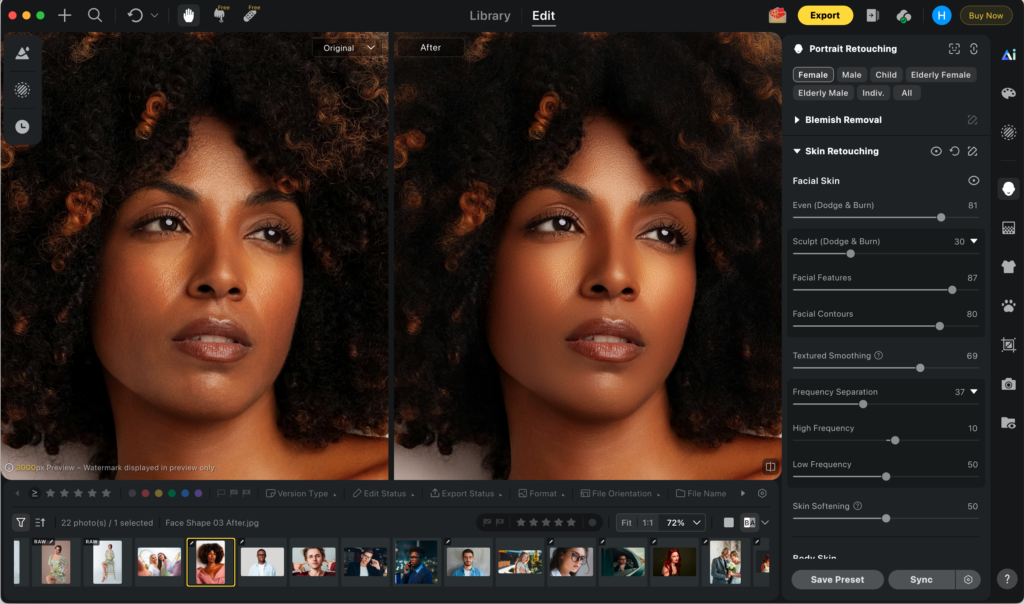
Evoto has published an updated media brief for Evoto Desktop, describing the software as the core post-production hub in its broader all-in-one imaging lineup. The release focuses on production tasks that typically consume the most studio time: ingest, culling, retouching consistency, and delivery preparation.
Key Takeaways
- Evoto Desktop is an AI-powered photo editor for Windows and macOS built for high-volume portrait workflows.
- The v7.1.0 cycle extends AI Lab (Smart Removal, People Removal, AI Scene) alongside Personalized AI Looks and Perfect Shot.
- Desktop is positioned as the editing center in a connected system that also includes Evoto Instant, Evoto Mobile, and Evoto iPad.
AI Photo Editor for School Photographers With High Volume
Evoto describes Desktop as a tool for studios handling large portrait batches such as school sessions, events, headshots, and team photography. The workflow begins with image intake through tethered capture or import, then moves into selection, adjustment, and export.
In practice, the platform combines:
- camera-connected intake options (hardware dependent),
- project-level file organization,
- AI-assisted image grouping and filtering,
- batch-capable portrait and color workflows,
- export and cloud sync paths for downstream delivery.
This framing is close to how media outlets cover workflow software in 2026: focus more on where a tool removes manual steps.
Best AI Photo Culling Software for Studio Throughput
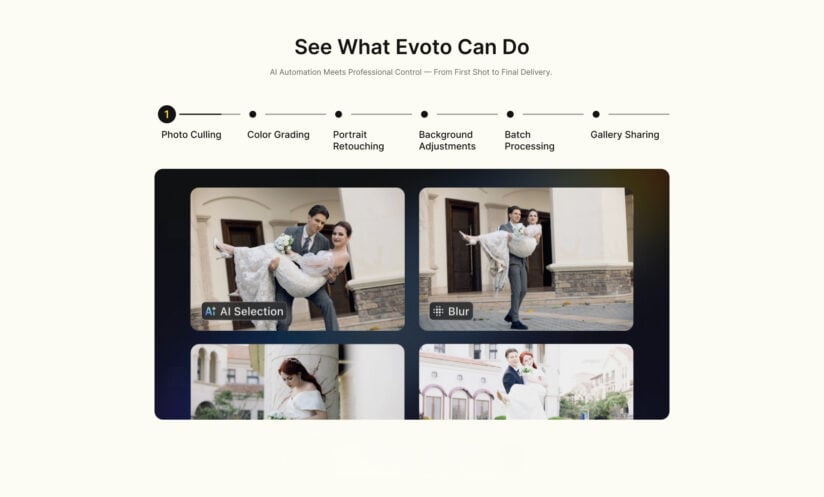
A central part of the Desktop pitch is AI Culling. Evoto states that culling modules are designed to identify and group common rejection patterns such as blur, duplicates, and expression-related issues, allowing photographers to reduce first-pass review time in large sets.
The company positions this as an operations feature rather than a creative replacement. Final keep/reject decisions remain with the editor, while AI handles pre-sorting and clustering.
For studios, this matters because culling delays often block the entire post pipeline. Evoto’s approach is to move sorting earlier and make batch edits easier to apply once the keep set is established.
Professional AI Photo Editing Software With Personalized AI Looks
In v7.1.0, Evoto highlights three feature groups:
- AI Lab
A creative module for AI-assisted cleanup and scene composition workflows. The current AI Lab scope in this draft includes:- Smart Removal: removes selected distractions with subject protection options in supported scenes.
- People Removal: detects and removes passersby or extra people in eligible images.
- AI Scene: supports subject cutout, background replacement, and layered foreground setup for controlled visual staging.
- Personalized AI Looks
A style-training workflow that allows users to build reusable looks from their own edited image sets, then apply those looks across future projects. - Perfect Shot
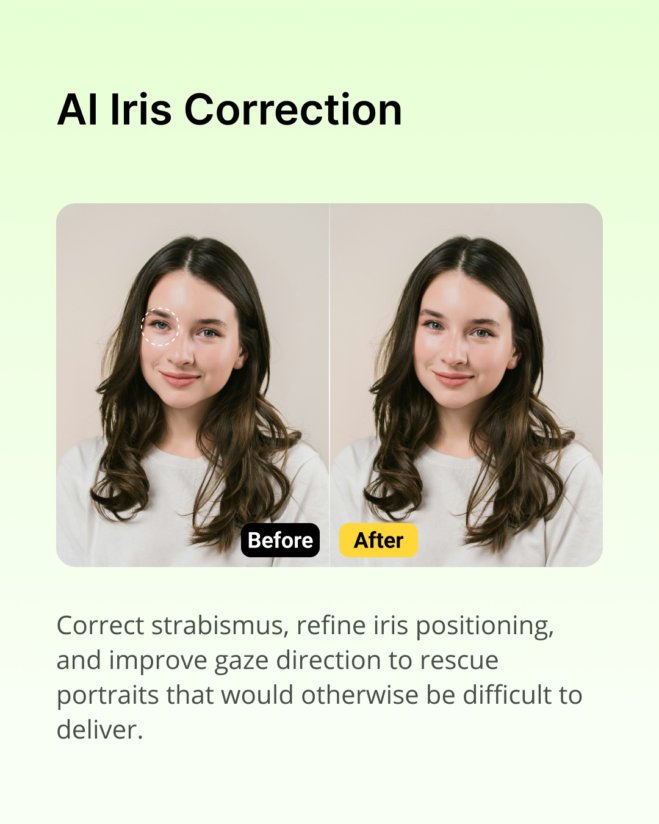
A group-photo workflow that helps replace expressions from adjacent images when subjects blink or miss gaze direction.
These additions are presented as workflow accelerators, not one-click finalizers. Editors can still intervene locally and adjust the final result image-by-image.
Photo Editing Software for Mac and Windows Workflow Teams
Evoto’s Desktop narrative also includes collaboration and continuity: teams can keep editing in Desktop, then route approved outputs to delivery channels. Depending on account setup and workflow configuration, projects can sync toward Evoto Instant for gallery publishing and access-based sharing.
This is where the all-in-one positioning appears. Evoto Mobile and Evoto iPad are presented as companion endpoints for on-site capture support, quick review, and field adjustments, while Desktop remains the environment for full-scale retouching and batch consistency control.
Does Evoto Train Its AI Models Using User Photos?
No. Evoto states explicitly in its public product materials that your photos and edits are not used to train Evoto’s general AI models. That wording is intended to cover typical project work and client galleries processed in Evoto Desktop and related apps, so professional users get a direct answer on model-training use of their imagery.
Evoto also describes its approach as aligned with common data-protection expectations (including GDPR- and CCPA-style requirements) and emphasizes user control over creative assets. Optional, user-initiated features, for example flows where you deliberately upload a set of images to build a Personalized AI Look, are governed by that feature’s own terms and disclosures; those are separate from using everyday project files to improve Evoto’s shared models, but studios should still read the current privacy policy and in-product agreements for scope, retention, and any regional differences.
Feature availability otherwise depends on plan level, region, device capability, and project settings.
Availability
Evoto Desktop is available through Evoto’s official channels:
Evoto AI – https://www.evoto.ai/
Evoto Photo Editor – https://www.evoto.ai/ai-photo-editor
About Evoto
Evoto is a software company that builds AI-assisted imaging tools for professional photographers, retouchers, and visual production teams. Its product line spans desktop editing, cloud gallery and delivery (Evoto Instant), mobile and tablet apps, and video finishing—designed so studios can move from capture through batch retouching to client delivery in one connected workflow. The team focuses on high-volume portrait and event use cases, with an emphasis on workflow speed, repeatable quality, and user-controlled creative decisions.
In 2026, user-review platforms Capterra and Software Advice recognized Evoto AI across multiple photo-editing and AI software categories, including ease of use, value, recommendation, and customer support. Profiles: https://www.capterra.com/p/10015499/Evoto-AI/ and https://www.softwareadvice.com/product/515822-Evoto-AI/.
More information is available at https://www.evoto.ai/
The post Evoto Desktop v7.1.0 Targets High-Volume Portrait Workflow on Windows and macOS appeared first on Outdoor Photographer.