







Raw vs. Jpeg: Understand the Differences & Know Which Format to Use When (VIDEO)
A solid understanding of key camera settings is essential if you’re serious about shooting impressive photographs instead of mere snapshots, and one of the most important considerations is whether to use the Raw file format or shoot Jpegs. As you’ll see in the video below, the decision you make depends up a variety of factors—including the specific way you intend to use the images you make.
Conventional wisdom is that “real” photographers always shoot Raw because of the greater detail and quality this format provides. But what if you never make large prints, or simply want to share images on the Internet? Other considerations include the greater storage requirements of much larger Raw files and the fact that some modern cameras deliver really good Jpeg output.
Resha Reay is a pro based in Bangalore India who recently launched an instructional YouTube channel with the goal of helping other photographers elevate their skills. In this five-minute episode he explains what you need to know when choosing an appropriate file format for the specific task at hand.
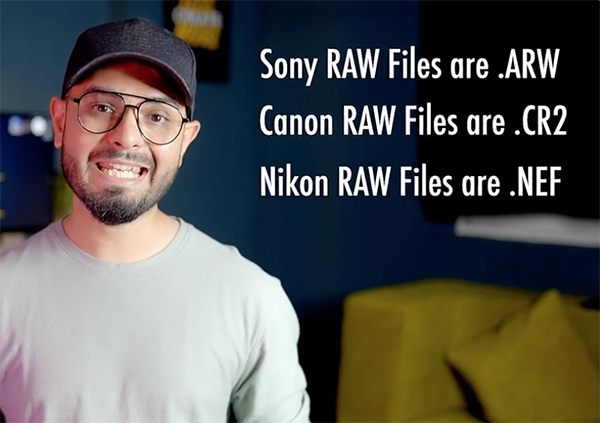
The choice between Raw and Jpeg involves a number of compromises. Reay explains that “Raw files are the untouched, unprocessed data captured by your camera’s sensor.” Thus, these images contain all the information recorded without any in-camera processing, compression or downsizing.
Another way to think of this is that the Raw file is a “digital negative” with the highest image quality possible, along with the maximum control of exposure, white balance, and color grading during the image-editing process. Raw files also enable you to recover highlight and shadow details that may be lost when shooting Jpegs.
One more key consideration is that editing Raw files, unlike with Jpeg files, is a “non-destructive” task—meaning you can go back and make additional adjustments (or change the ones you made earlier) without degrading image quality. But as you’ll see, these significant benefits come at a cost.

Jpeg, on the other hand, is a compressed file format. Rey puts it like this: “When you take a Jpeg photo the camera processes the image and compresses it before saving the image.” The compression process greatly reduces file size but also sacrifices some data. Thus, while Raw files can be considered “digital negatives,” you can think of Jpegs as “digital prints.”
With all the theory out of the way Reay discusses several important practical matters that will help you decide when to use one of these formats versus the other. After watching the video pay a visit to his YouTube channel where you’ll find additional lessons on the basics aspects of photography.
On a related note, be sure to check out the earlier tutorial we posted from another accomplished pro who explains the best camera settings to use for shooting sunset photographs with maximum impact.




