Carnival in Jamaica is back and invites you to experience the incredible atmosphere across the island during the weeklong celebrations between the 12th – 18th April.
If you are proud of a renovation or decoration project you have completed, enter Period Living’s Home of the Year Award 2023 and you could win a cash prize of £1,000
Last week we brought you a basic primer on achieving maximum sharpness in the camera, regardless of the subject or lens you use. But long telephotos are a unique case, requiring even more precision and careful techniques.
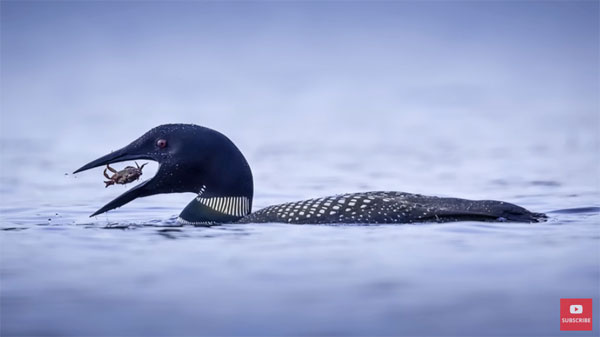
The tutorial below from one of our favorite outdoor photographers takes a specific look at the necessary considerations for capturing the sharpest images possible when shooting with the big guns. The straightforward tips you’ll learn work great for any images you make with a long lens, whether it’s a prime or telephoto zoom.
Instructor Simon d’Entremont is a professional nature and wildlife photographer based in Eastern Canada, and given his specialty he relies on long focal lengths for much of his work. He’s taken over a million images over the past six years, using two telephoto lenses alone, and there’s a list of all his preferred gear in the description beneath the video.
It’s obvious that a sturdy camera support is essential, and some lenses are inherently sharper that others. But, as you’ll see, premium glass and a bombproof tripod don’t guarantee sharp results. Put bluntly, much of the responsibility falls on you, in terms of choosing the right camera settings and using effective techniques.
Simon begins by explaining this fact of life: “Longer focal lengths have a bad way of magnifying shooting errors and affecting image sharpness.” The good news is that his goal isn’t convincing you to invest in expensive high-end glass, but rather to help you obtain optimum results with whatever long telephoto lens you already own.
This lesson is illustrated with Simon’s gorgeous imagery, and he discusses a number of relevant topics for getting the job done. Because longer lenses magnify motion, Simon explains the difference between camera and lens movement, subject movement, and shutter vibration—each of which require your attention in different ways.
Simon has several valuable suggestions regarding both shooting techniques and camera settings to address the movement issue. But that’s only the beginning of this very helpful video, so take a close look and put his solid advice to work.
There’s much more to learn about wildlife and nature photography (for beginners and advanced shooters alike) on d’Entremont’s YouTube channel.
Winter is officially over and spring has finally sprung, and that means it’s time to pull out a macro lens and bone up on your skills. The quick video below provides five very helpful tips that are different from those we’ve discussed in the past.
Instructor Andrew Lanxon is an eclectic pro who travels the globe shooting everything from travel and landscape images to just about anything else he comes across. His real specialty is close-up photography, and the “essential” tips revealed in this tutorial are in large part responsible for his beautiful work.
What make this episode unique is that is more about a mindset or an “attitude” instead of camera settings, supplemental light, focusing methods, or other technical matters. Lanxon says that the approach described in this lesson has “transformed my photography way more than any quick focus hack or easy editing tip has ever done.”
Lanxon’s advice is all about slowing down, practicing your craft, concentrating on important details, and ignoring inconsequential considerations. He insists that by following his suggestions you’ll “be able to capture better images that make you proud.”
Patience is a virtue with most forms of photography, and Lanxon explains why this is particularly true with macro. Rather than frantically rushing to capture a ”decisive moment,” there are several reason why taking a deep breath and slowing down helps you shoot great photos.
Lanxon discusses why “practice does make perfect” by refining what you already know and helping you learn by examining your mistakes. He’s also an advocate of experimenting with unfamiliar subjects and methods whether shooting flowers and bugs in the field, or small inanimate objects in a home studio. He illustrates this point with several unique images to get you inspired.
Lanxon also suggests that you “stop obsessing over gear,” and concentrate instead on being more creative with whatever equipment you own. By following these and Lanxon’s other tips you’ll be able to do a better job of “crafting” epic macro images.