Freelance Photographer in Dubai, UAE - Experienced, Sophisticated, Affordable & Reliable
  • Home
  • Photography
    • Real Estate Photography
    • Landscape Photography
      • Travel Photography
      • Street Photography
    • Portrait Photography
      • Business Portrait Photography
      • Fashion Photography
    • Food Photography
    • Product Photography
    • Event Photography
      • Concert Photography
    • Sport Photography
    • Still Photography
  • Videography
    • 360 Interactive Virtual Tour
  • Latest Projects
  • News & Tips
  • Contact
Home
Photography
    Real Estate Photography
    Landscape Photography
    Travel Photography
    Street Photography
    Portrait Photography
    Business Portrait Photography
    Fashion Photography
    Food Photography
    Product Photography
    Event Photography
    Concert Photography
    Sport Photography
    Still Photography
Videography
    360 Interactive Virtual Tour
Latest Projects
News & Tips
Contact
Freelance Photographer in Dubai, UAE - Experienced, Sophisticated, Affordable & Reliable
  • Home
  • Photography
    • Real Estate Photography
    • Landscape Photography
      • Travel Photography
      • Street Photography
    • Portrait Photography
      • Business Portrait Photography
      • Fashion Photography
    • Food Photography
    • Product Photography
    • Event Photography
      • Concert Photography
    • Sport Photography
    • Still Photography
  • Videography
    • 360 Interactive Virtual Tour
  • Latest Projects
  • News & Tips
  • Contact
News and Tips

Sony Introduces Second Generation 24-70mm G Master

April 28, 2022 by Louie Alma Photography No Comments

Sony Introduces Second Generation 24-70mm G Master

Sony today announced an update to its 24-70mm G Master lens, the FE 24-70mm F2.8 GM II. Sony describes the new lens as the “world’s smallest and lightest” F2.8 24-70mm zoom, and it is indeed compact and lightweight at 20 percent lighter and 18 percent shorter than the first generation 24-70mm F2.8 G Master.

Sony FE 24-70mm F2.8 GM II

Sony FE 24-70mm F2.8 GM II

The FE 24-70mm F2.8 GM II incorporates four of Sony’s XD Linear Motors for autofocus performance that can keep pace with fast moving subjects and the 30 fps continuous shooting speeds of the Sony Alpha 1 camera. It also offers improvements when recording video, including reduced focus breathing and focus shift when zooming, and includes a new “zoom smoothness” switch to adjust the zoom ring responsiveness with “Tight” or “Smooth” modes. The lens can focus as close as 8.25 inches at 24mm, extending to 12 inches at 70mm.

Of particular interest to outdoor photographers, the lens also provides an “updated” design for dust and moisture resistance, with rubber gaskets protecting the switches and buttons and a seal at the lens mount.

Availability of the FE 24-70mm F2.8 GM II is expected in June, with a list price of $2,300. For additional details, see the press release below.

###

Sony Electronics Introduces New FE 24-70mm F2.8 GM II, the World’s Smallest and Lightest[i] F2.8 Standard Zoom Lens

Newest G Master™ Series Lens in Sony’s Mirrorless E-mount Lineup with Industry-leading Optical Design, Unique Actuator Technologies, Advanced Autofocus and More

SAN DIEGO, CA – April 27, 2022 – Sony Electronics Inc. announced today the 67th lens in its mirrorless E-mount lineup – the highly-anticipated,   (model – SEL2470GM2). Sony developed the world’s lightest F2.8 standard zoom lensi using its leading lens technology to deliver stunning resolution and beautiful bokeh known to Sony’s “G Master” series. The FE 24-70mm F2.8 GM II is one of the most versatile lenses in the line-up and was created for photographers, videographers, and hybrid content creators.

“Six years have passed since Sony released the first 24-70 mm F2.8 G Master and in that time, our customers’ needs have changed,” said Yang Cheng, Vice President, Imaging Solutions, Sony Electronics Inc. “We are always listening to our community and have designed the new FE 24-70mm F2.8 GM II around feedback from creators. Knowing the 24-70 mm focal length is extremely popular, it was imperative that we continue improving to bring our most advanced technology to such a critical lens in our customers’ kit. Today, we are thrilled to introduce the world’s smallest and lightest F2.8 standard zoom lens.”

Evolved Image Quality in a Zoom Lens that Rivals Prime Lenses[ii]

The FE 24-70mm F2.8 GM II is great for a compact yet versatile set up and allows users to capture extremely sharp, detailed imagery for both stills and video. The new lens features high resolution across the frame—even with the aperture wide open. A completely redesigned optical path features five aspherical elements, including two high-precision XA (extreme aspherical) elements. The FE 24-70mm F2.8 GM II also includes two ED (extra-low dispersion) plus two Super ED glass elements. Combined with a new floating focus mechanism, the lens effectively controls chromatic aberration, astigmatism, distortion and coma so that outstanding resolution is achieved throughout the image area at all zoom and aperture settings.

Even when shooting in challenging lighting conditions, the FE 24-70mm F2.8 GM II achieves excellent clarity by effectively subduing flare and ghosting. This is thanks to Sony’s original Nano AR Coating II, which produces a uniform anti-reflecting coating on the lens surface. The FE 24-70mm F2.8 GM II produces stunning bokeh throughout the zoom range with beautiful and almost perfectly circular bokeh with its advanced optical design and a newly developed 11-blade aperture unit.

In this new 24-70 mm design, this lens delivers outstanding close-up performance with a minimum focusing distance of 8.25 inches (0.21 meters) at 24 mm and 12 inches (0.30 meters) at 70 mm, and with a maximum magnification of 0.32x.

Fast and Precise Autofocus

The FE 24-70mm F2.8 GM II achieves reliable focus by using four of Sony’s original XD (extreme dynamic) Linear Motors, a floating focus mechanism and advanced lens control – even when shooting a fast-moving subject. In addition, the lens supports up to 30 fps[iii] continuous shooting for stills and 4K 120p video recording with autofocus.

The FE 24-70mm F2.8 GM II enables full AF tracking performance even when shooting stills with the aperture stopped down, making it possible to use deeper depth of field to ensure that moving subjects remain in sharp focus when shooting continuously[iv]. The lens’ AF tracking performance while zooming is approximately two times better than the previous model[v].

Refined Capabilities for Creative Filmmaking

With its constant F2.8 maximum aperture, astounding AF performance, versatile control, and solid reliability, the FE 24-70mm F2.8 GM II is designed for all types of video applications. The FE 24-70mm F2.8 GM II offers extremely quiet AF operation, thanks to the XD Linear Motors and a newly developed aperture unit. Using the latest lens technology, the FE 24-70mm F2.8 GM II reduces focus breathing, focus shift and axial shift when zooming for smooth video footage. This lens also supports the breathing compensation function[vi] provided in compatible Alpha series cameras.

As an added benefit for advanced video creation, the newest lens includes Linear Response MF (manual focus) that ensures high repeatability when focusing manually as the focus ring responds directly and repeatedly to subtle control. It also includes an aperture ring making manual aperture/iris control fast, direct, and easy. The dedicated iris ring enables click-less control to achieve smooth depth of field transitions.

Unrivaled Mobility

Designed to perfectly pair with Sony’s compact Alpha™ system E-mount cameras, the FE 24-70mm F2.8 GM II is the world’s smallest and lightesti 24-70 mm F2.8 zoom in its class and offers unprecedented shooting flexibility and freedom in a wide range of situations. The FE 24-70mm F2.8 GM II weighs just 24.6 ounces (695 grams), approximately 20% less (7 ounces) than the original 24-70 mm F2.8 G Master. The lens’ length has been reduced by 16 mm, and overall volume has been reduced by approximately 18%.

Reliability and Improved Control

The new FE 24-70mm F2.8 GM II was developed based on feedback from professionals to offer even better control and usability than preceding models. This model includes:

  • Zoom smoothness switch to adjust zoom ring torque either Tight or Smooth
  • A newly added aperture ring with click ON/OFF switch and iris lock switch
  • Two customizable focus hold buttons
  • The focus ring that responds directly and linearly to subtle control when focusing manually
  • New lens hood design with opening to control circular polarizing filters (dia. 82mm)
  • The center of gravity back toward the mount for improved handling and operation

An updated dust and moisture resistant[vii] design provides extra reliability for outdoor use in challenging conditions. The buttons and switches are fitted with rubber gaskets, and a rubber ring seals the lens mount. The front lens element also features a fluorine coating that repels water, oil, and other contaminants, while making it easier to wipe off any contaminants or fingerprints that become attached to the lens surface.

Pricing and Availability

The new FE 24-70mm F2.8 GM II will be available in June for approximately $2,300.00 USD and $3,000.00 CAD and will be sold at a variety of Sony’s authorized dealers throughout North America.

[i] As of April 2022, compared to full-frame 24-70mm F2.8 standard zoom lenses that support autofocus. Sony survey.

[ii] MTF chart comparison

[iii] When paired with the Alpha 1. “Hi+” continuous shooting mode. Effective at 1/125 seconds or higher shutter speed. In AF-C mode at shutter speed of 1/250 seconds or higher. The maximum continuous frame rate will depend on the shooting mode.

[iv] With a compatible camera and the camera’s [Aperture Drive in AF] parameter set to [Focus Priority]. See Sony’s support page on the web for camera compatibility info.

[v] Sony tests. Compared to SEL2470GM.

[vi] Compatibility info at: https://www.sony.net/dics/breathing/ Available in movie mode only. Angle of view and image quality may change slightly when this function is used. Compensation may not be able to cover all situations.

[vii] Not guaranteed to be 100% dust and moisture proof.

###

The post Sony Introduces Second Generation 24-70mm G Master appeared first on Outdoor Photographer.

Share:
Reading time: 7 min
News and Tips

Photo Of The Day By Charles Cormier

April 28, 2022 by Louie Alma Photography No Comments

Photo Of The Day By Charles Cormier

Photo By Charles Cormier

Today’s Photo Of The Day is “The Endless Winter” by Charles Cormier. Location: Rye Beach, New Hampshire.

“Here in New England, when the air temperature drops rapidly, we have a phenomenon known as ‘sea smoke,’ explains Cormier. “The ocean appears to steam, which is enhanced by the rising sun. On this morning, as temperatures dipped, a lone surfer paddles out into the frigid Atlantic, hoping to catch the perfect wave.”

Want to get your images in the running for a Photo of the Day feature? Photo of the Day is chosen from various galleries, including Assignments, Galleries and Contests. Assignments have weekly winners that are featured on the website homepage, Facebook, Twitter and Instagram. To get your photos in the running, all you have to do is submit them.

The post Photo Of The Day By Charles Cormier appeared first on Outdoor Photographer.
Share:
Reading time: 1 min
News and Tips

How To Stream With A DSLR

April 28, 2022 by Louie Alma Photography No Comments

How To Stream With A DSLR

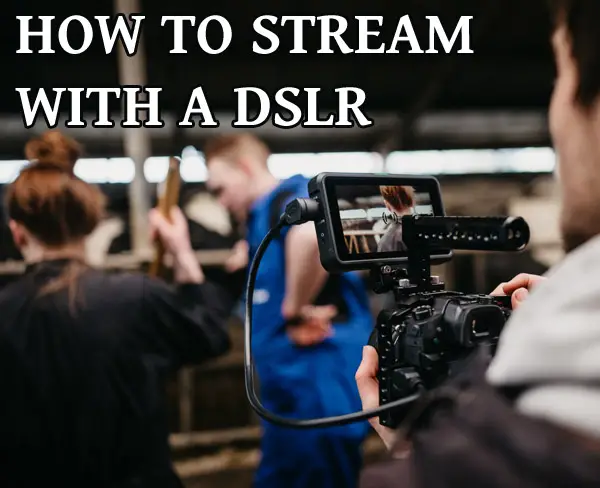
You’ve probably seen people using their DSLRs in place of webcams while streaming, and if you already have a DSLR, it could be an excellent option for you to do the same.

streaming dslr

This article will tell you everything you need to know about how to stream with a DSLR. After reading this, you’ll be more than ready to start off your streaming career.

In general, streaming with a DSLR involves using the proper equipment such as a quality USB and HDMI cable, setting up your broadcasting software, customizing your stream, picking the right focus type for your environment, having a fully charged battery, and using a good quality microphone. Let’s get into the details.

There are numerous benefits to using a DSLR as your camera while streaming. The most obvious benefit would be the image quality, as a DSLR is made for capturing high-quality image content. This comes with another very useful option: the ability to control your image however you want. On DSLRs, you can change lenses depending on your filming environment, and customization is always a great option to have while streaming.

While streaming with a DSLR might require more space, it comes with various benefits, and once you learn how streaming with a DSLR is done, you will never go back.

Everything You Need To Know About How To Stream With A DSLR

Before delving down into what exactly you need to do when starting your stream, let’s see how you need to prepare in order to be able to stream with your DSLR as the camera of choice.

As you probably know, streaming requires special equipment, and sometimes a significant number of it. However, here we have the basics to make this setup work for you.

Use High-quality USB Cable

As using a DSLR for streaming purposes is nothing new, most of the leading manufacturers have modified their camera options to make it as smooth as possible. The main one is creating software of their own, so the transfer of the files could be made possible.

The main task on your side to make everything work is to find a good-quality USB cable that won’t break in crucial moments.

Each manufacturer has its software, and you will usually find the exact website you should go on in the instructions or the manufacturer’s official website.

But, when it comes to USB cables specifically, you should probably opt for either original ones from the manufacturers or those from well-known, high-quality brands. For casual, everyday use around the house, the cheap USB cables that cost only around a few dollars are an excellent choice; however, when it comes to your DSLR, it’s best not to mix things up too much and keep it more on the high-end.

It’s not only better for that probably expensive camera of yours, but it will also last longer, costing you less in the long run. And, the chances of it breaking in the worst moments, like during a significant stream, are minimal.

Get Good HDMI Connection

If this is not your first time connecting your DSLR to your computer, you may already have a capture card, and it would make sense if you wanted to use what you already have.

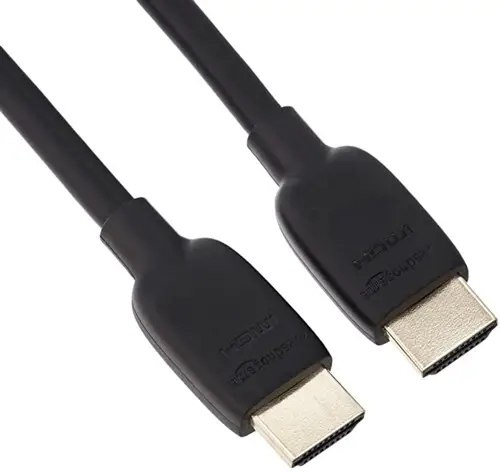
To transfer the video files from your camera to your computer while using a capture card, you must get yourself a suitable HDMI cable. Like with USB cables, going for more high-quality and even a tad more expensive options will be the better way to go with this one.

HDMI cable

HDMI cables are usually very sturdy, so breaking or splitting isn’t something that you will need to worry about a lot, but still, it’s better to go for an option with guaranteed quality.

However, you still need a USB cable in the mix if this is how you choose to do things.

To connect your DSLR to your computer using a capture card, there are a few things that you’ll need to do. First, connect the DSLR to the capture card using the HDMI cable. Then, use a USB cable to connect the capture card to your computer. And that’s it!

You Need Trusty Software For Broadcasting

Streaming requires having a broadcasting software that will take the video and audio content you make and sends it out to your streaming platform of choice. One of the most popular and widely used ones is OBS which is free.

After connecting your camera using one of the two recommended methods, you will need to set up your broadcasting software of choice and set your DSLR as the source for the video content that’s going to be streamed.

Once you set everything up, it’s the broadcasting software that you will use to customize your video and the visuals of your stream. Through these programs, you can set up overlays and panels, your chat, and basically all the tiny details that make your stream special. This is also how you can edit and customize the video itself while you’re streaming, making your image and audio quality just right.

Setting your DSLR up for streaming is not a hard and complicated process, and after you’ve done it once, you will be able to repeat the process seamlessly. Besides the fact that the full process is very easy to go through, you won’t have to set everything from scratch all over again once you’ve set the basics up.

Just scroll down, and you will find out what are the exact steps you need to take to have a great streaming experience with your DSLR.

And just a little disclaimer before starting, this guide will be mainly focused on setting your DSLR up in OBS, as that is the most widely used software for broadcasting. It is also a favorite software for a reason, so it also comes as a recommendation to go for it if you still haven’t decided on which one you want to use. But, even if you choose a different software, the process is more or less the same.

Let’s set you up!

Connect The Hardware

The first thing you need to do is connect your DSLR to your computer. As I’ve already said, you can do this either by using a USB cable or a capture card and an HDMI cable. If you go for the first option, then all you need to do is plug the USB into the camera and into the computer, and you’ll be mostly set. If you decide to include the capture card into the mix, you will first need to connect the capture card to your computer using an HDMI cable and then connect the capture card to the computer using a USB cable.

Set Your Source In OBS

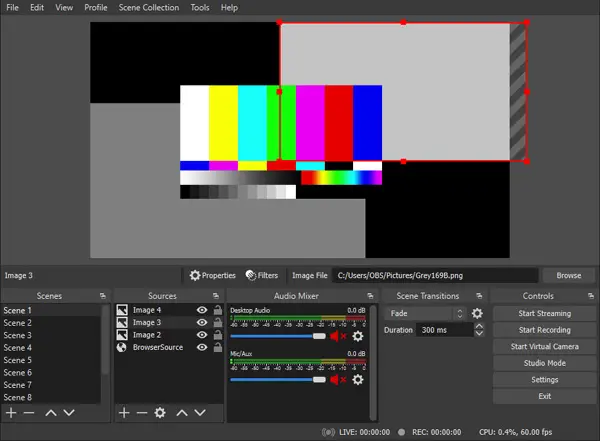
For OBS to be able to get your video content, you need to set your specific DSLR device as a source.

OBS program

If you didn’t download the software yet, then this will be the first thing that you’ll need to do.

After that has been done, you will need to open the software. You will see a part of the window that’s named Sources, and there is going to be a plus “+” symbol. You should click on that and then click on Video Capture Device.

Another window will open, and you should see a section that says Device. Click on the dropping menu, and choose your DSLR model as your device source of choice.

After that, just click on the Ok button, and you will see the video content your camera is filming in your OBS.

If you don’t see it, check whether everything is connected appropriately. If it is, you might’ve forgotten to turn the DSLR on. Even though it sounds like a stupid mistake, you will be surprised how often it happens that people think that something huge is wrong with their devices while the solution was that simple. It happens, so make sure that that is all done before going into panic mode.

Customize Your Content

Now that everything is set up, you’ll be able to do the fun part of this and customize your stream and make it look the way you want it to.

To achieve the look you want, you should use stream visuals, like overlays and panels. There are various websites where you can find this, either free or paid content, depending on where you stand with your interests and budget.

Here is a hardware device you can use.

Besides that, you will be able to edit things like lighting, contrast, and shadows, which is great, especially if you work in conditions that don’t have the best lighting situation. Of course, having a DSLR in the first place will highly impact and improve the video quality.

If you want to look more in-depth into the ins and outs of streaming with a DSLR, and videos are your preferred type of content, then I recommend checking this one out:

Keeping Everything Running Properly

While the main issue you had to deal with is setting everything up the DSLR and connecting it to your computer, it’s equally as important to keep everything running while you’re streaming.

The main issue that you could run into while using a DSLR is the issues with your focus. Depending on what your content is like, you can choose whether you set your camera to autofocus or manual focus. If you don’t move a lot and tend to stay more or less physically passive during your streams, then the manual setting could be what you should stick to, as it will mostly stay perfect the way you set it up. But, if you do move a lot and change your positions frequently, and if you show different things during the streams, then it’s best to opt for autofocus, as it will adapt to whatever it’s happening on the stream.

Besides that, you will mostly just need to keep an eye on your OBS and make sure that the effects you put on are still working.

Obviously, you should make sure that your DSLR’s battery is full since an empty battery in the middle of the stream can cause a lot of issues for you. Disappearing in the middle of the stream and not being able to immediately come back could irritate your audience, especially if it happens more than once, so it really is important to be sure of this.

Don’t Forget The Audio

Most DSLR cameras have the ability to register sounds, as well as the visual part. For some beginners, it could be good enough to focus just on the audio you get from the camera, however, the moment you collect enough money to invest in a good separate microphone, you should absolutely go for it.

The microphones that are in the cameras are usually not that good at picking up your voice, or any other sounds, with a lot of detail. Also, the quality of the sound can usually be very questionable.

And if there’s one thing that you should know about streaming, it’s that for the majority of the audience, your audio is more important than your visual appearance. The reason behind this is that streams are a place where you interact with your audience and talk in real-time, therefore being able to hear you clearly is a crucial factor in how popular your streams will be.

Also, streams usually go on for multiple hours, and people often aren’t able to have their full attention to watch it, but having a stream play in the background as a podcast while they do something else is a common thing to do, so keep that in mind if you want to keep your audience entertained and active during the stream.

Let’s Start Streaming

Now that your DSLR is set, you have only a few little things to worry about. To get the best stream possible, and have a very satisfied audience, make sure that your audio is as good as your video, if not even better.

This article was written with the assumption that you already have your trusty DSLR, and want to start using it in a new way. However, if that’s not the case, or you are in need of an update to your equipment, then you should make sure that you choose something that works for you, and here’s where you can find the best DSLR for streaming currently available.

Thats it. I hope you enjoyed reading the article. Click the following link to learn about the best green screen for video conferencing.

Share:
Reading time: 10 min
News and Tips

Using the Best Shutter Speed for Wedding Photography?

April 28, 2022 by Louie Alma Photography No Comments

Using the Best Shutter Speed for Wedding Photography?

Wedding photography is possibly one of the most difficult and demanding areas of the industry. Things are happening all around you and it’s your job to ensure that you capture the moment perfectly, or risk ruining someone’s big day. Your photographs are going to be the memories that the couple, their families, and their friends hold on to.

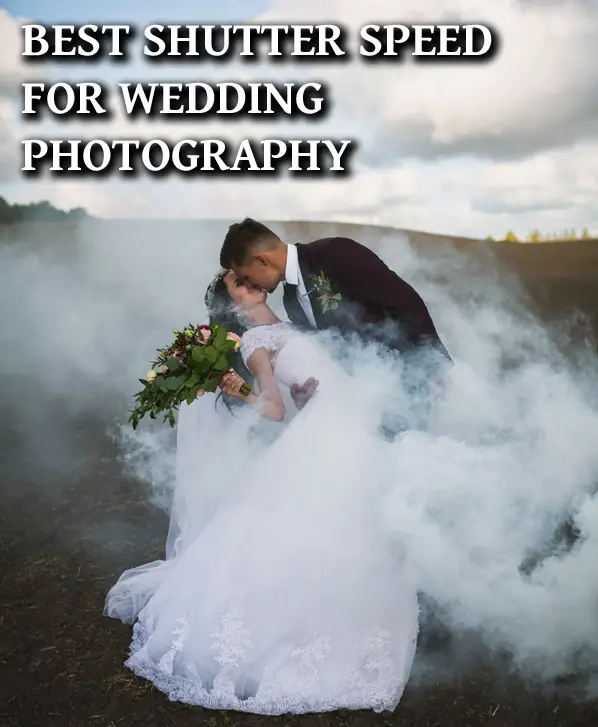
Smoke around couple

Getting the settings on your camera right is critical—especially the shutter speed. Let’s discuss the best shutter speed for weddings.

Generally for weddings you should stay above 1/100 for shutter speed due to the one chance to shoot nature of wedding photography, but many professional wedding photographers choose 1/60 for posed photos for better depth of field, and slow shutter speeds may be used when getting creative for slight motion blur. Let’s explain.

You want to ensure that the image is exactly what you intended so that you can edit it to perfection when you get to postproduction. There’s nothing worse than a soft photograph when you want something sharp. There’s just no way to recover the detail in the image. This is where choosing the right shutter speed for your images comes into play.

Essentially, shutter speed is responsible for how much light gets let into the camera, as well as how long the shutter stays open. The faster the speed, the less light that gets in and the less time it takes for the photograph to get captured. The slower the speed, the more light that can get in and the longer it takes to capture the image.

What is Shutter Speed and Why is it so Important?

Shutter speed is how fast the shutter opens and closes each time you take a photograph. The shutter of the camera is the covering that sits behind the lens but over the sensor in a digital camera or the film in a traditional camera. The shutter can be plastic, metal or even cloth depending on what kind of camera you have. When you press the button on the camera to take a picture, the shutter opens to let light onto the sensor or film and then closes again. This is also referred to as exposure time.

The reason that shutter speed is so important is because it dictates a large part of the exposure of your image.

Light is a key ingredient in photography, after all.

A longer exposure—or a slower shutter speed—means more light and therefore, a brighter image. Although there are other elements such as ISO and F stop that impact exposure, shutter speed is usually the first element that gets set.

The reason you go to shutter speed settings first is that as well as dictating how much light is let into the shot, shutter speed dictates how much motion blur is captured. If your subject is moving and the shutter speed is slow, you’re going to see a motion trail. This can be a great effect when done intentionally. However, this can also lead to images that are just a little blurry and don’t look so good.

This is why getting the right shutter speed for your wedding photography is so important. You are very unlikely to get an opportunity to capture a photograph a second time, meaning you need to get it right each time you press the shutter button.

wedding couple fast shutter speed

1/100 or Faster for a Wedding?

Shutter speed is measured in seconds or fractions of a second. 1/100 means that the shutter is open for one one hundredth of a second. This is considered a fast shutter speed, and wedding photographers all over the world use it to capture in-the-moment photographs on the big day. The reason this is a good shutter speed is that it lets in a fair amount of light, but it’s still fast enough to freeze the action.

With a shutter speed of 1/100 or faster, you can capture details like confetti falling around the couple as they exit the church, the moment the bride tosses the bouquet, and the joy in the couple’s faces as they take their first dance. These are moments that the couple will want to remember in photographs. But you won’t be able to ask them to stop and pose or to do the action again if your image is blurry.

It’s also important to remember that wedding photography is also usually done on the move—aside from the official portraits, of course. You’re going to be roaming the ceremony and the reception, looking for the perfect moments to capture. This means that your camera won’t be on a tripod and you’ll need a shutter speed that can account for any movements in your hands. Again, 1/100 or faster will work perfectly for handheld photography.

Shutter Speed with Flash – What to Keep in Mind

When working with a fast shutter speed, you need to have plenty of light on your subject. If you don’t, you’ll have to use a wider aperture (F stop) and a high ISO value. This means your image could end up grainy or not have the depth of field you want. One way to get around this is to incorporate a flash into your wedding photography gear.

Every camera will have a flash built into the body, and that flash is often enough to give you that snap of light you need. However, an external flash can give you a lot more flexibility, especially if it’s one that’s controlled wirelessly. You could set it up closer to your subject or on a side of the room with less light to fill in your subject from a different angle.

Having a flash with you is a great idea as weddings are very often going to be lowlight situations, especially if the ceremony is indoors and the reception is at night. It’s important, however, to use your flash sparingly because the sudden light can disrupt the scene and the mood of the couple and the guests. You probably want to keep the flash on hand, but use it as a last resort when you can’t get a decent balance for exposure and keep your shutter speed fast enough.

Why 1/60th for Weddings?

A shutter speed of 1/60 is a great one to use for the staged photographs you take during a wedding. This is most likely when you have just the couple, the families, and the bridal party, and you’re using your tripod for extra stability. Going with this shutter speed gives you more room to play around with your F stop and your depth of field.

Experienced wedding photographers will often go for 1/60 if they are struggling to get enough light on their photographs. However, this is only if they know their equipment well and trust themselves to take steady shots. Image stabilizers are a big help in these situations. Many Canon and Nikon lenses come with stabilizing technology in them, making these brands a good choice.

Just remember, if you go any slower than 1/60, you’re going to see some motion blur if anyone moves at all while the photograph is being taken. You could even get motion blur from you pressing the shutter button. This is when an external shutter button and a tripod come in handy.

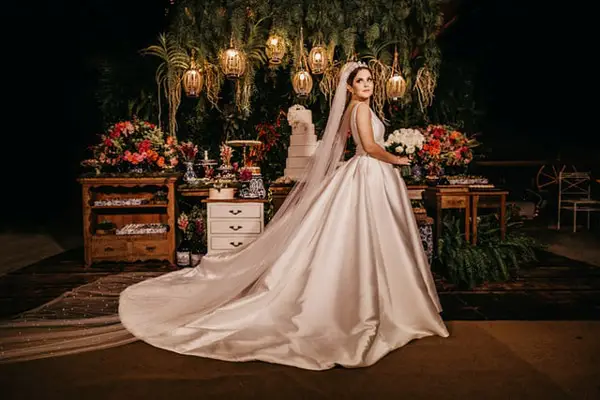
Lowlight wedding pose

Using Slow Shutter Speeds at Weddings

There’s always room for getting creative with shutter speed at a wedding. Yes, it’s important to make sure you capture the important moments with crystal clear sharpness. No couple wants only creative shots with blurred movements and bokeh light trails. They’ll most likely want a balance of the two, especially when it comes to the bride showing off her wedding dress.

There are several great ways you can implement a slow-motion blur that will enhance some of your photographs and give the couple a special memento. One way to do it is with a slow sync on your flash. You’ll need to put your camera onto Shutter Priority (or TV mode for a Canon) and slow your shutter speed to 1/30 to start with. It’s possible to slow your shutter speed even further as you experiment. You can use either the on-camera flash or an external flash. An external flash is more powerful so you can be further away from your subject.

With this setup, the center of your image will stay sharp and everything around it will have a slight motion blur to it. You can try this as the bride comes down the aisle or as the couple does their first dance together.

If you’d like to know more about this technique, check out this video:

Other Settings to Consider

Wedding photography isn’t just about your shutter speed. There are plenty of other settings that you need to consider on your camera too:

  • Aperture – This is your F stop and the wider it is, the more light gets let in with each shot you take. However, the aperture also controls the depth of field in your photograph, which dictates how much of the background is in focus. The wider the aperture, the blurrier the background will be and vice versa.
  • White Balance – Due to the fact that you’re likely to be moving to different locations and lighting situations throughout the day, it might be a lot easier to set your camera to auto white balance. You can do color corrections in post production if the dress isn’t looking white enough or skin tones aren’t quite right. If you get the chance, however, you could go to the different locations and do a quick test of the lighting and dial in some white balance numbers that you can then switch between when you’re capturing the events.
  • Focal Length – You should either have a zoom lens that allows you to change your focal length, or have at least three different set lenses in your kit. The lengths you want are 35mm for the group shots or the wider shots, 85mm for portraits, and 100m for macro shots of details.
  • ISO – It’s important to keep this as low as possible because as soon as you go over 800, you will likely get some noise or grain in your photographs. Remember, these pictures will likely get printed out and blown up, so any grain will show up immediately in a large print.
  • Focus – Autofocus can be your best friend when shooting a wedding. You might not always have time to adjust your camera’s focus manually as the action is happening. If your camera has an AI focus function or a focus tracking function, this is the option you want to use.
  • Drive Mode – This is the setting that determines how many photographs get taken when you press the shutter button. A continuous drive mode is best for action shots – the couple walking down the aisle, people dancing at the reception, etc. You can then pick the best shot from the group.
  • Image Format – You always want to shoot in RAW because this gives you a file that you can do a lot more with in post production. With a RAW file, you can correct exposure, white balance and even remove most of the grain. If you shoot in JPEG, there is very little editing that you can do before you start destroying the quality of the image.

Give Your Clients the Most Out of Their Wedding Photos

Photographing a wedding is all about capturing the moment. It’s important to be both creative and logical about how you go about capturing those moments. You want to have clean shots that show the couple, the guests, and the venue in all their glory. At the same time, you want to tell the story of the wedding and the couple’s love through your artistic eye. When you get this right, you’ll have happy clients and a new set of photos to add to your portfolio.

The key is to know your equipment well, take the time to visit the venue(s) beforehand, understand the impact of different lighting conditions, and shoot with confidence.

If you’d like to know more about working as a wedding photographer and shooting under variable light conditions, check out this article on natural light.

Share:
Reading time: 10 min
Page 3 of 4«1234»

Advertisement

Four Seasons Mumbai Unveils a 10,000-Square-Foot Ballroom in the Heart of the City

January 1, 2026

“A Night In Old San Antonio” (NIOSA) plans in full swing for 2026

Traverse City Guide, Michigan, USA

Kuda Villingili Resort Maldives Welcomes the Year of the Horse

December 31, 2025

Global Showjumping Elite to Compete at the UAE President Cup Showjumping

2026 World Cup Schedule Released: Fans Urged to Book Travel Early for the Biggest Tournament Ever

Fans expected to travel in record numbers for 2026’s mega-events

Eurostar tells passengers not to travel due to train cancellations

Only the coolest gardeners have a set of ‘Tinkling Toadstools’ – they earned me serious brownie points when I gifted a set to my sister

Printing Your Photos: An Artist’s Statement Against Ephemerality

Subscribe to Our Newsletter

Check your inbox or spam folder now to confirm your subscription.

Popular Posts

Four Seasons Mumbai Unveils a 10,000-Square-Foot Ballroom in the Heart of the City

January 1, 2026
LUXURY APARTMENT IN DUBAI

LUXURY APARTMENT IN DUBAI

August 20, 2020
LUXURIOUS AND SPACIOUS VILLA IN DUBAI

LUXURIOUS AND SPACIOUS VILLA IN DUBAI

Advertisement

Pages

  • 360 Interactive Virtual Tour Sample
  • About the Photographer
  • Business Portrait Photography
  • Concert Photography
  • Event Photography
  • Fashion Photography
  • Food Photography
  • Landscape Photography
  • Portrait Photography
  • Product Photography
  • Real Estate Photography
  • Sport Photography
  • Still Photography
  • Street Photography
  • Travel Photography
  • Videography

Categories

  • Apartments
  • Food Photography
  • Latest Projects
  • Luxury Residences
  • News and Tips
  • Real Estate Photography
  • Villas

Before and After Version

  • STYLISH APARTMENT IN CITYWALK, DUBAI

  • ULTRA LUXURIOUS RESIDENCE IN DUBAI

  • Real Estate Photography in Dubai, UAE

    Luxurious 7 Bed Villa with Private Pool, Cinema, Bar and Lounges at Jumeirah Golf Estates

  • LUXURY VILLA IN PALM, DUBAI

© 2020 Copyright Louie Alma Photography. All rights reserved.