There are a lot of things you have to consider when picking the right photo editor. Recently, another totally new factor has appeared–a brand new operating system from Microsoft that is getting more widespread and is likely to become a new standard. If you are going to switch to Windows 11 and now wonder which photo editor to get, then you’ve come to the right place.
We have explored the best photo editing software for Windows 11 of all kinds. Some are laser-focused on specific tasks, while others are more universal. However, keep in mind that this is not a rating list – the software presented here is quite diverse, thus we’ll review each entry in its own right. With that cleared out, let’s take a look at the results of our research.
1. PhotoWorks
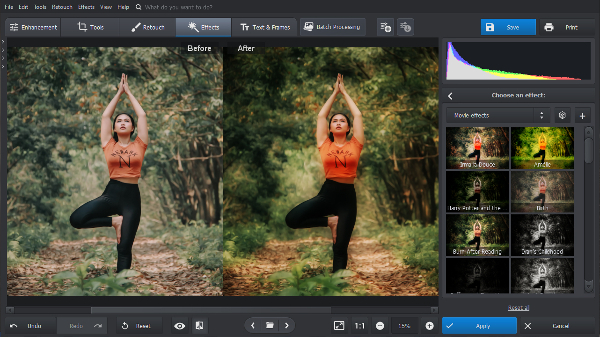
PhotoWorks is a smart tool for editing photos in Windows 11. It is designed to be user-friendly and let anyone use cutting-edge editing functions, regardless of their skill. It allows casual users to enhance photos with a few slider tweaks or 200+ one-click effects. People with more experience will enjoy an array of more complex tools. PhotoWorks is a prime example of how the gap in quality between industry giants and less prominent tools is shrinking.
Who is it for? PhotoWorks is great for those looking for a time saver. It is very easy to use and provides great results with modest time and effort investment. Professionals will be able to streamline their work, and enthusiasts can enjoy pro-tier enhancements at a button press.
Why is it good? The interface is clear and intuitive, allowing you to have all the tools you need at your fingertips. The toolkit includes content-aware AI features, tools for deep retouching, batch processing mode, curves, LAB color adjustments, LUT profiles, and tons of other interesting stuff. Plus, PhotoWorks has lenient system requirements and runs smoothly on a mid-end PC or a laptop.
Pricing. Beyond a free trial, PhotoWorks comes in three packages: Standard for $19.25 per year, Pro for $39.20 per year, and Ultimate for $79.80 for a lifetime.
2. Adobe Lightroom
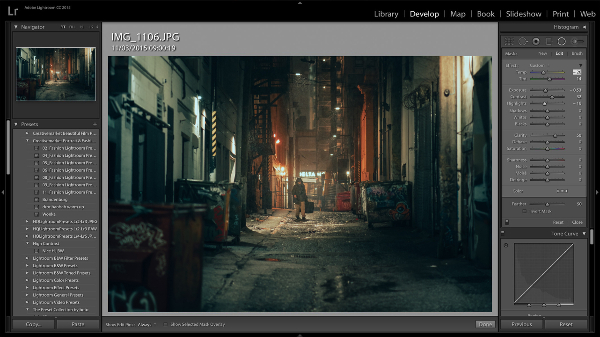
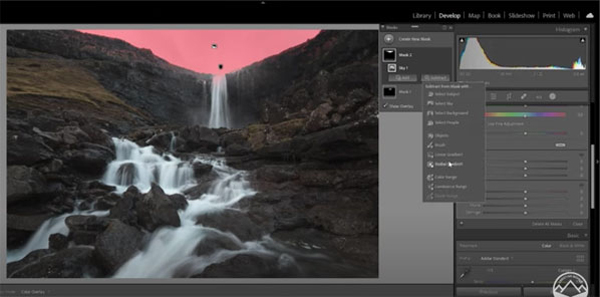
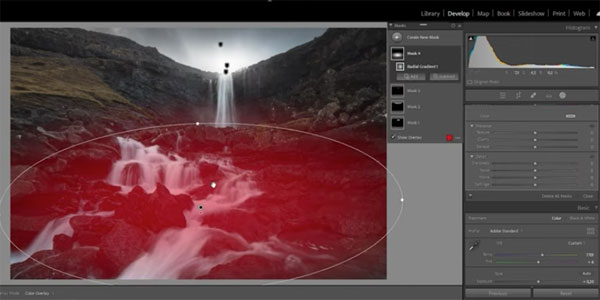
Adobe Lightroom offers one of the richest retouching toolkits among Windows 11 photo editors. It is basically like Photoshop but stripped of all that is not related to photo editing. It has something to support you at every step of the way, from uploading and cataloging images to ordering prints of processed shots.
Who is it for? First and foremost, Lightroom is designed with the needs of professional photographers in mind. Amateur retouchers can also enjoy its automatic tools, but will have to deal with a clunky interface.
Why is it good? Adobe stands at the forefront of technology, and so do its products. Lightroom is made to satisfy any need a photographer might have. And its cloud-based desktop-to-mobile workflow is unmatched.
Pricing. Adobe Lightroom has a subscription model that costs $9.99 per month.
3. Luminar Neo
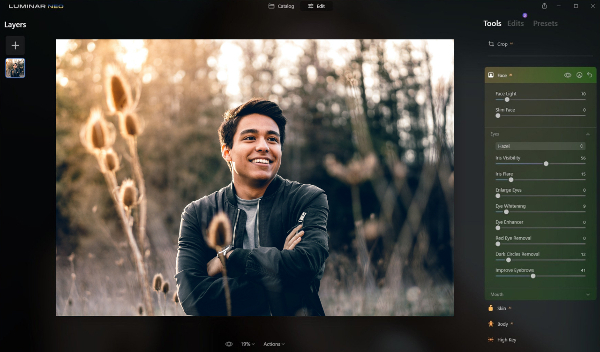
Luminar Neo is a photo editing app for Windows 11 with a focus on AI-driven processing. It can bring out the true colors of your shot in a few clicks. Its presets and algorithms are much more effective than AI features included in all-around programs, but it lacks versatility as a tradeoff. Luminar truly shines when used in tandem with other software.
Who is it for? Luminar is made for photographers from all walks of life who want to introduce AI-powered features into their workflow.
Why is it good? Luminar offers an immense range of filters and is very adaptable to your working routine due to customizable workspaces. It can also be used as a plugin for Photoshop, Lightroom, or Apple Photos.
Pricing. Luminar has several subscription plans starting from $9.95 per month, along with purchasable assets.
4. Affinity Photo
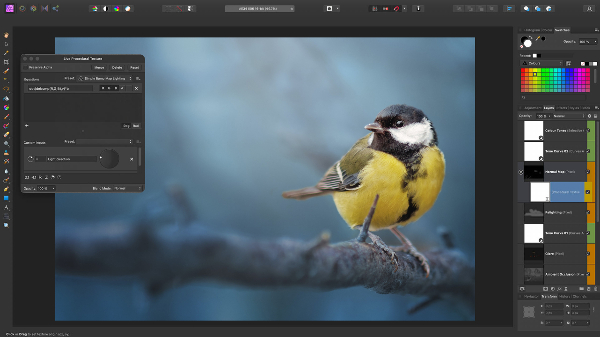
Affinity Photo is a versatile Windows 11 image editor for photographers and artists alike. From RAW development to drawing on a clean slate – with it, you can achieve any goal you set. Affinity Photo’s greatest asset, however, is its price. It is basically capable of anything you’d want from a high-end program, like Adobe products, but at a more affordable price.
Who is it for? Affinity Photo is a great option if you are looking for something like Photoshop in all but name, but are turned off by monthly payments.
Why is it good? It lacks cataloging features, but still offers a toolset vast enough to compete with industry giants, while being much cheaper in the long run.
Pricing. The Windows version is available for a one-off payment of $69.99.
5. GIMP
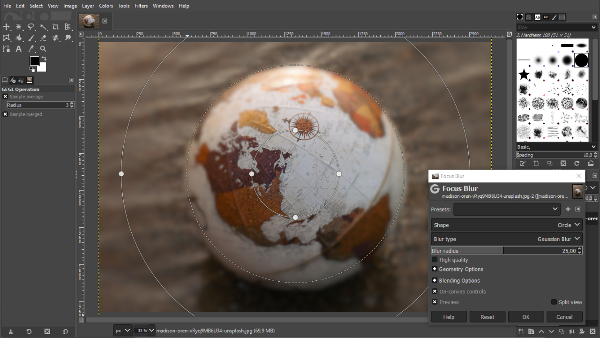
GIMP, a.k.a. GNU Image Manipulation Program, is a completely free Windows 11 picture editor that rivals Adobe Photoshop in terms of available features. It lets you effectively restore and retouch the images, as well as create stunning original artwork. If you are tech-savvy, you can expand the GIMP arsenal with external plugins and even programming language integration.
Who is it for? GIMP is perfect for those who are willing to invest time and effort into learning but have a shoestring budget. Experienced photographers can also achieve outstanding results, as long as they are willing to cope with a cluttered interface.
Why is it good? It allows everyone to experience photo editing with pro-tier tools and try climbing up the learning curve of advanced software for free. Plus, it is quite customizable, if you are willing to do some tinkering.
Pricing. GIMP is open-source and absolutely free. But you still can support the devs with a donation.
6. Darktable
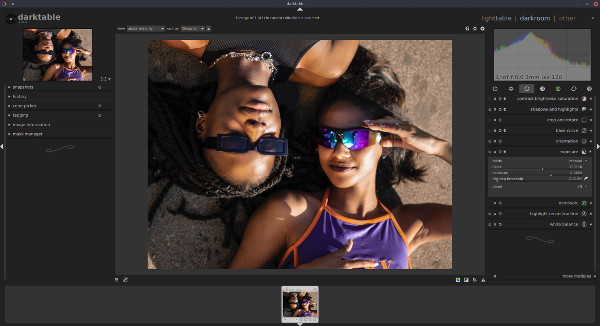
Darktable is an open-source photo program for Windows 11. It is fast, reliable, and as feature-rich as the industry leaders. Darktable makes filtering and sorting much simpler, has zero latency, and supports tethered shooting. It has almost everything a professional might desire, albeit somewhat unpolished.
Who is it for? Darktable is a great option for those who seek a fast professional tool but find programs like Photoshop overkill.
Why is it good? It is virtually as good as expensive photo editing software and provides simple file management and editing options.
Pricing. Darktable is open-source and totally free.
7. Adobe Photoshop
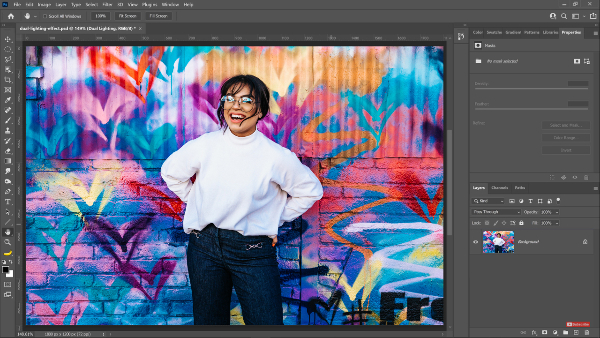
Adobe Photoshop is one of the best photo editors for Windows 11, which is no surprise for Adobe products. It is an advanced program for graphic design and multi-layer editing. However, due to its complexity and high price, Photoshop may not be suitable for everyone. It is full of professional tools that are too numerous to list, but you’ll have to spend some time training to use them all effortlessly.
Who is it for? Photoshop is not designed for casual use. It is for people who are willing to go the extra mile to become a pro and can afford a subscription.
Why is it good? Adobe Photoshop includes the best of what modern technology has to offer, albeit in not so easily accessible form.
Pricing. There are several Adobe subscription plans with access to Photoshop, starting at $19.99 per month.
8. InPixio Photo Studio
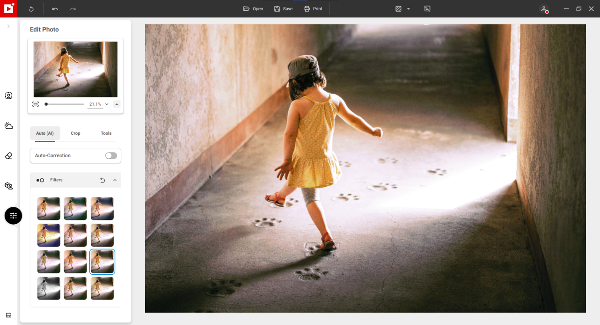
InPixio Photo Studio is a photo editor for Windows 11 filled with necessary and specialized photo editing tools that may help you fix your imperfect pictures. It manages to be simple to use and requires little expertise to master, thanks to the automatic nature of most of its features. InPixio presents itself as a one-click photo editor, and that is quite close to the truth.
Who is it for? It is a great tool if you need to swap a background of an image in a snap or make a quick improvement.
Why is it good? Apart from automatic enhancement, InPixio is great at background replacing, which makes it perfect for some creative montages.
Pricing. InPixio Photo Studio is available at $49.99 but has a free version.
9. Pixlr
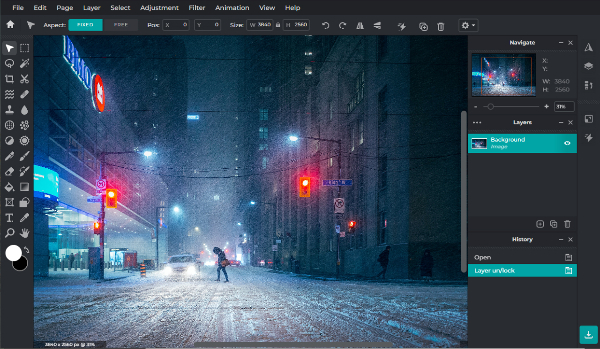
Pixlr is an online photo editor with so many features that it can stand toe to toe with PC apps. Even though some features are still in beta, the platform keeps steadily improving. It’s definitely worth your attention if you’re searching either for a quick way to polish your images or a more sophisticated tool for challenging compositions.
Who is it for? Pixlr is a great training ground for aspiring photographers and designers. Pros can also benefit from the ability to access it from any PC at hand, which can be helpful in case of urgency.
Why is it good? It is an online application, which means it requires nothing from your PC and you can access it from any device with an internet connection.
Pricing. Pixlr has a free version and two paid plans: Premium for $3.99/month and Professional for $14.99/month.
10. Fotor
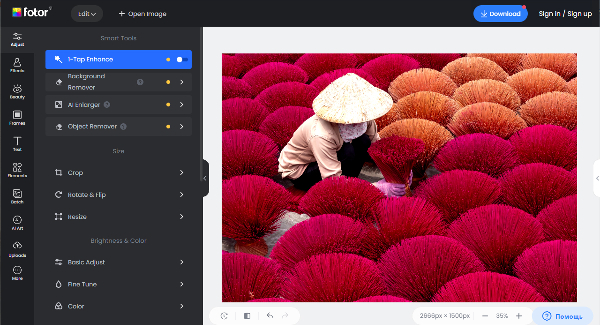
Fotor is a web-based platform for photo editing and graphic design that mostly uses one-click effects. It includes image enhancement tools to create stunning photos and supports RAW photo conversion – a feature that few similar apps can offer. Fotor also has a dedicated PC application, in case you don’t want to depend on the internet connection speed.
Who is it for? Fotor is an excellent choice for amateurs and experts who typically alter photos for personal use.
Why is it good? It is quite user-friendly, has enough tools for simple editing and design, and provides results of decent quality.
Pricing. Fotor has a free trial and two paid plans: $39.99 or $89.99 per year.
11. Canva
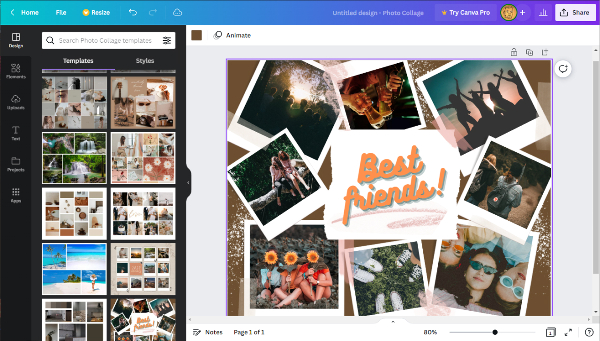
Canva is one of the most sophisticated cloud-based image processing tools. However, its primary focus is design, rather than in-depth processing. This is a go-to solution if your goal is to make a postcard or a Facebook cover from your images. In addition to editing tools, it also has a ton of presets and templates that virtually have most of the work done for you.
Who is it for? Canva is a great solution for those who want to mildly edit a photo and use it in a design project right away.
Why is it good? It is one of the most profound online applications out there that is also incredibly easy and quick to use.
Pricing. Canva has a free version and a Premium for $119.99.
12. PhotoGlory
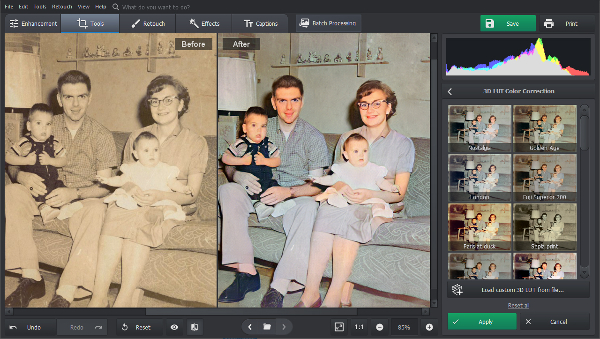
PhotoGlory is among the greatest photo editing software for Windows 11 focused on old image restoration. It combines an intuitive user interface with a robust toolkit. Colorizing black and white photos takes one click, and if you wish to alter the result in any way, you can rely on manual tools. The same goes for removing wrinkles, stains, and edge tears – the program does most of the work automatically while providing features for more precise correction by hand. On top of that, there are 100+ effects and 3D LUT profiles to enhance restored pictures.
Who is it for? PhotoGlory is designed for a wide audience. It is simple enough for complete beginners, and has more sophisticated tools for more experienced users.
Why is it good? It offers utmost ease while helping you to undo great amounts of damage, from dust to tears and scratches, and enhance images both automatically and manually.
Pricing. After a free trial period, you have three options: Standard for $19.25, Deluxe for $29.40, and Pro for $39.20.
13. Let’s Enhance
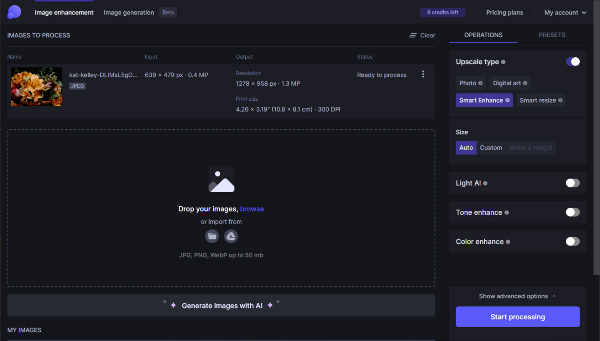
Let’s Enhance is a tool that uses a cutting-edge image processing AI to automatically and swiftly raise the resolution of your images. You can use the tool to easily enlarge low-res shots, along with enhancing clarity and color. Also, you can process a stack of images in Batch editing mode.
Who is it for? Let’s Enhance is a go-to solution if you have to work with source images of not-so-great quality. It is a great addition to other tools you have at hand.
Why is it good? It can easily enhance the quality of an image or an entire batch. Let’s Enhance can’t boast a wide range of tools, but what it does, it does with excellence.
Pricing. Let’s Enhance has a free version, along with a few paid plans starting at $9 per month.
14. PhotoDiva
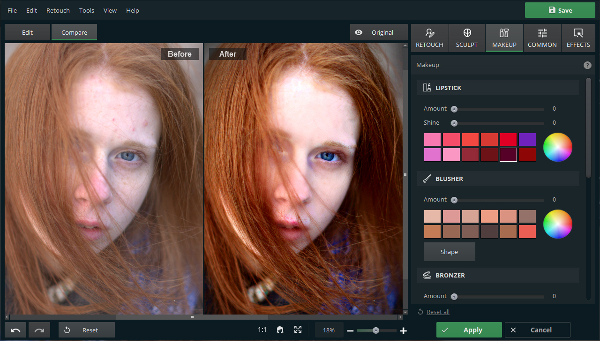 PhotoDiva is an AI-powered Windows 11 photo editing software for processing portraits. It uses Auto Retouch features to detect and eliminate most blemishes and skin defects. With a wide range of tools, you can also apply digital makeup, and sculpt the face and body line to make the portrait more expressive and eye-catching. To top it all off, you can swap backgrounds and overall enhance the edited image with 100+ effects.
Who is it for? PhotoDiva is fantastic for amateurs who don’t wish to invest a sizable amount of time in the likes of Photoshop and want to quickly improve their portrait photographs.
Why is it good? It is a very handy portrait editing program that can automatically remove blemishes and sculpt facial features. One of the program’s main benefits is that it offers a convenient one-click preset for getting rid of skin flaws like acne, wrinkles, etc.
Pricing. After a free trial period, you have three plans to choose from: Essentials for $19.25, Pro for $29.40, and Ultimate for $39.20.
15. DeNoise AI
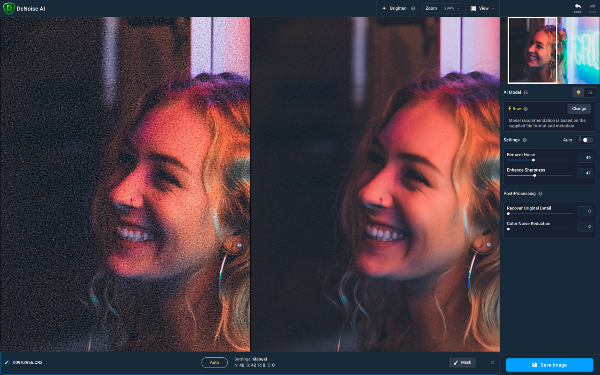
Topaz DeNoise AI is a ground-breaking image processing tool that uses the most advanced Artificial Intelligence technology to eliminate noise, improve sharpness, and recover details. It can be purchased as a standalone app or as a plugin. DeNoise AI is a fantastic addition to every photographer’s toolbox, regardless of proficiency level.
Who is it for? DeNoise AI will be of great use for literally anyone, from casual photographers to pros, who want to make a noisy image more clear.
Why is it good? It uses cutting-edge technology to provide top-notch results. It is also fairly easy to use and reasonably priced.
Pricing. DeNoise AI is available for $79.99. It is a one-time payment with no subscription.
Final words
As you can see, there is already a lot of photo software for Windows 11, despite the relative youth of this OS. As long as you have a clear understanding of what you want to do, you’ll be able to safely transition to the new OS, since a lot of prominent tools keep getting Windows 11 ports.
Each of the aforementioned programs has its own merits. However, selecting the ideal picture editor depends on a variety of factors, including personal preferences, budget, and level of expertise. Also, since the majority of these programs include free trial versions, there is no harm in checking out a few before settling on one. Keep searching and good luck in your quest!